
Covenant Eyes vs Bark: Adult Accountability or Parental Controls?
Covenant Eyes is the better fit for an adult who wants to share screen activity with a trusted partner. Bark is the better fit for parents who want screen-time rules, location features, and alerts for concerns such as cyberbullying.
By Ben Uyama. Product details checked November 24, 2026. I may earn a commission on qualifying Covenant Eyes signups through my link or code.
Try Covenant Eyes free for 30 days
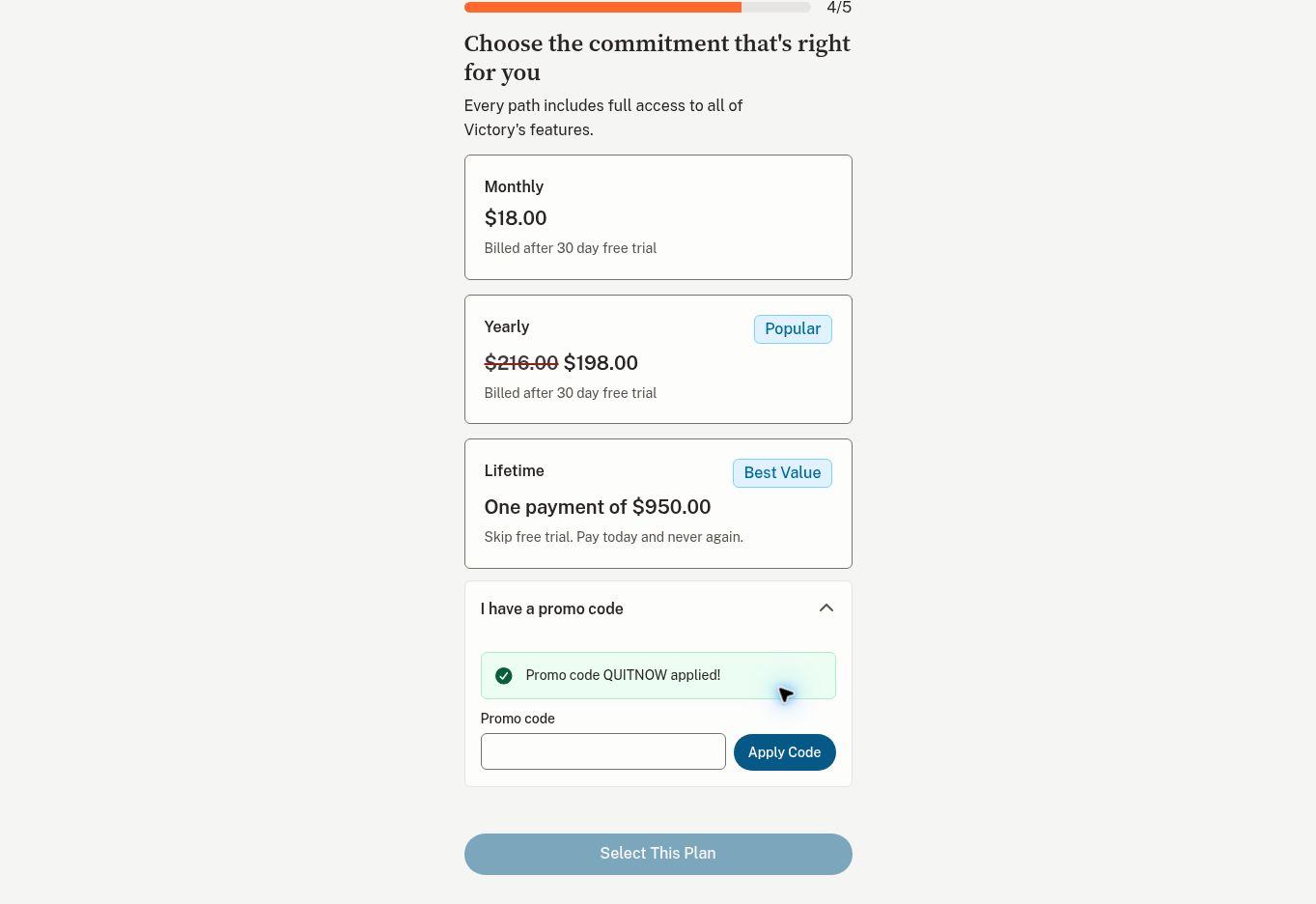
Available on eligible new web signups. Enter the code at checkout.
QUITNOW
Covenant Eyes
Adult accountability
- Pricing
- $18/month or $198/year. $950 lifetime.
- Compatibility
- Windows, macOS, Android and iOS. Coverage varies by device.
- Advantage
- ✓ Blurred screenshot reports and website filtering
- Limit
- No parental screen-time schedules or location tracking.

Bark
Parental controls
- Pricing
- Jr $5/month. Premium $14/month. Annual plans available.
- Compatibility
- App and account coverage varies by device. Check supported services before subscribing.
- Advantage
- ✓ Screen-time schedules, location tools and Premium alerts
- Limit
- Premium is required for message and social monitoring. Hardware is separate.
Pick the report you actually need
A Covenant Eyes Ally gets activity that can support a conversation about someone’s own habits. Bark Premium is designed to flag specific concerns for a parent. Bark Jr is the simpler option if you only need schedules, blocking controls, and location. This comparison covers the Bark apps, rather than Bark Phone, Watch, or Home.
What works on iPhone?
Both services have platform-specific limits. Bark may require extra setup or accessories for some types of monitoring. Covenant Eyes screenshot monitoring on iPhone is limited to Safari. Before subscribing, check whether the specific device and app you care about are covered and whether the person receiving reports can see the information you expect.
Which should a family use?
- Adult and trusted Ally: Start with Covenant Eyes if both agree on what will be shared and how often they’ll check in.
- Parent who needs bedtime limits or location: Start with Bark Jr.
- Parent who needs alerts for messages and social activity: Check Bark Premium’s support for the child’s device and apps.
Does Covenant Eyes replace Bark?
For adult accountability, it may fit better. For parental controls such as schedules and location, it does not cover the same job. Choose around the feature you would miss most.
See the interface
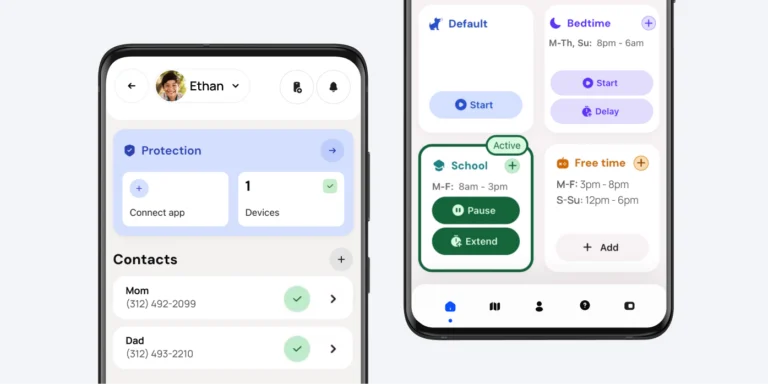
What QUITNOW looks like at checkout
Related buying guides
Product sources
- Bark subscription pricing
- Bark’s feature comparison
- Victory and Bark feature notes
- Covenant Eyes pricing and devices
Ready to try Covenant Eyes?
If a trusted partner is ready to check in, use the trial to test reports and filtering on your own devices.
QUITNOWUse the right test for each product
- Adult accountability
- Try Covenant Eyes with a consenting ally. Ask them what they can infer from the report and where they still need to ask you a question.
- Child safety and screen limits
- Check Bark’s features for your child’s device and exact service. A subscription app and a managed phone can have different capabilities and billing.
- Mixed household
- Decide who should be monitored, who manages parental rules, and who receives alerts. Avoid assuming an adult ally needs the same data as a parent.
Sources: Bark product and plan details · Covenant Eyes device chart. Reviewed November 24, 2026.
What if you need both adult and child protection?
Decide separately what adults want to share with an ally and what parents need to manage on a child’s phone. Compare household coverage and parental-control gaps and Bark’s current device and plan options.

Ben Uyama
I review accountability and blocking tools and help people build practical recovery habits. My original video reviews reflect the versions I used at the time.