
By Ben Uyama · Updated November 24, 2026
Affiliate disclosure: I earn a commission from qualifying Covenant Eyes signups through my link or promo code.
In my original hands-on review and five-product comparison, I looked for two things: whether the software could block adult sites and whether it could give an accountability partner enough information to start a conversation. Covenant Eyes was my pick for people who wanted both. The videos below show that earlier evaluation. I checked Covenant Eyes’ current documentation for the features, limitations, and prices described here.
30 days free with QUITNOW · Apply the code during web signup.
How Covenant Eyes works
Covenant Eyes calls its monitoring app Victory Shield. It periodically captures screen activity on supported devices, analyzes images for explicit content, and reduces image clarity before sharing activity. Your chosen accountability partner, called an Ally, can review flagged activity through Victory or email check-ins. Filtering is a separate feature that can block access to adult sites on supported setups.
The distinction matters. Filtering adds friction in the moment. Reporting gives someone you trust a reason to check in later. Before installing it, agree with your Ally on what they’ll review, how often you’ll talk, and how you’d like them to respond to a flag. A flag is a conversation starter and can lack context.
What your accountability partner sees
Covenant Eyes says Victory Shield periodically captures and analyzes screen images on supported devices. It reduces image clarity before activity is shared. The Ally can review recaps, highlighted or explicit image classifications, and some device events in the Victory Activity Feed. The feed can be narrowed to a specific device or activity type.
In my original comparison, I liked that screenshots could give an Ally more context than a list of websites alone. I also treated filtering as one part of the decision: the extra cost was easier to justify for someone who wanted both reporting and filtering in one subscription. Before relying on it, have your Ally open the feed, find your main device, and agree on a time to talk through anything unclear.
Pros and cons
- Pros: Combines adult-site filtering and screen accountability, gives an Ally a feed they can filter by device, and supports the four major desktop and mobile platforms.
- Cons: Limited iPhone and iPad screenshots, inconsistent screenshot coverage in some private Android sessions, a recurring cost on monthly and yearly plans, and a setup that asks both people to be comfortable with monitoring.
Where it works and where it falls short
| Device | Screen monitoring | Website filtering |
|---|---|---|
| Windows 10/11 | Apps and browsers | Available |
| macOS 11+ | Apps and browsers | Available |
| Android 11+ | Apps and browsers, with private-session exceptions | Available |
| iPhone/iPad, iOS or iPadOS 17+ | Safari screenshots and VPN website monitoring | Available, with platform-specific setup |
Check current system requirements and platform details.
- Windows and Mac: Screen monitoring is available on supported versions. Install Victory Shield on each computer you intend to cover.
- Android: Some private browsing sessions can prevent screenshots. Covenant Eyes may show unavailable screenshots or flag an unmonitored session.
- iPhone and iPad: Expect more limited visibility. Covenant Eyes describes screenshot monitoring in Safari and website monitoring through its VPN for other browsers. Website activity and screenshots show different things. If you mainly use social apps or third-party browsers, check those specific situations before committing.
Privacy: This is screen-monitoring software. Discuss what your Ally may see before installing it on a shared or work device, and check the rules for managed devices. Blurring reduces image detail, and you should still be comfortable with the monitoring arrangement.
Covenant Eyes pricing and the 30-day trial
Covenant Eyes lists US web prices of $18 monthly, $198 yearly, and $950 for a lifetime subscription. At those listed prices, a year of monthly billing is $216, so the yearly plan saves $18. App-store pricing and terms can differ.
If you decide to try it, use QUITNOW during web signup for your first 30 days free. The November 23, 2026 checkout check showed the trial on the monthly and yearly options after applying the code. Confirm the billing date and renewal amount on your own checkout screen before submitting.
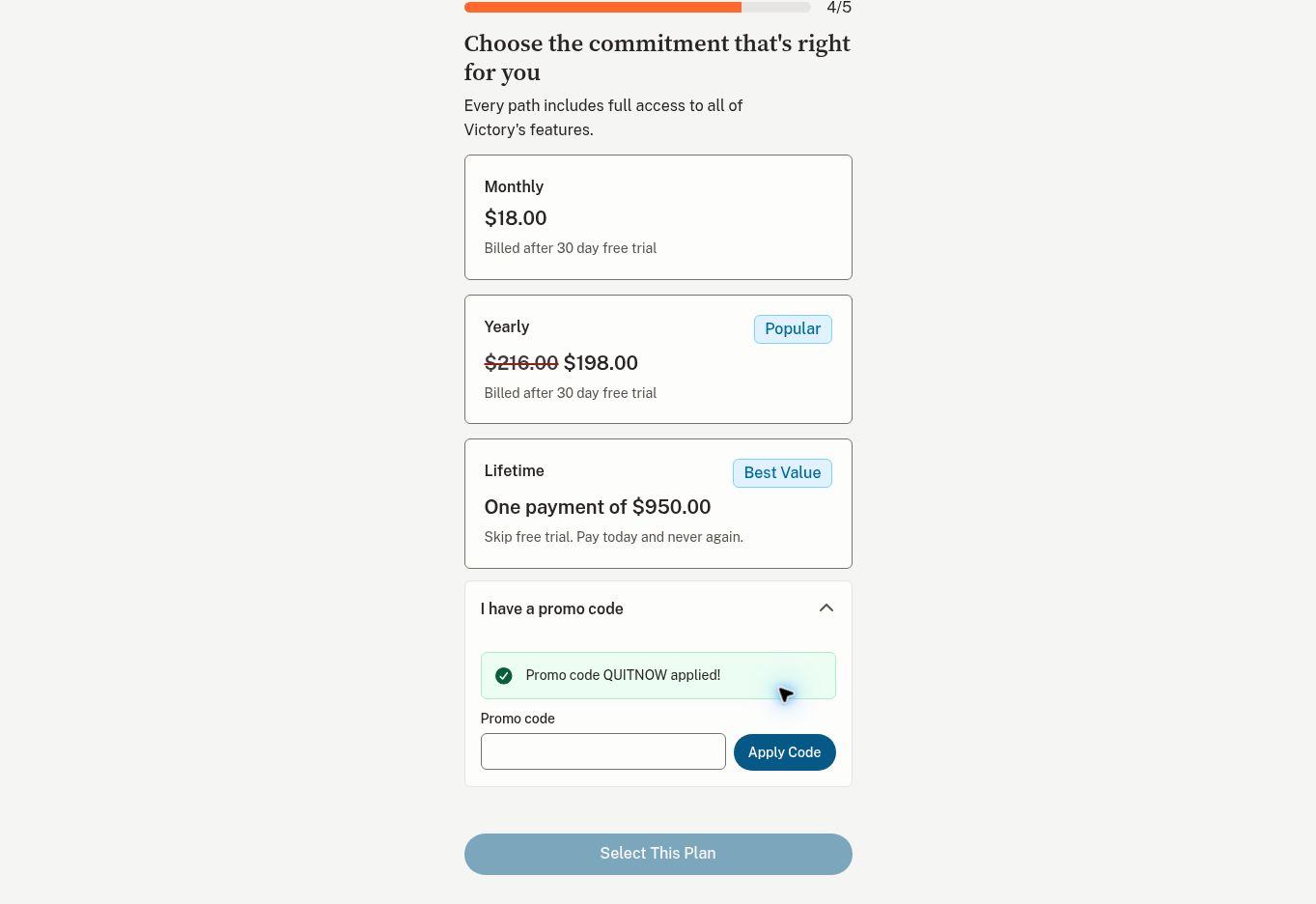
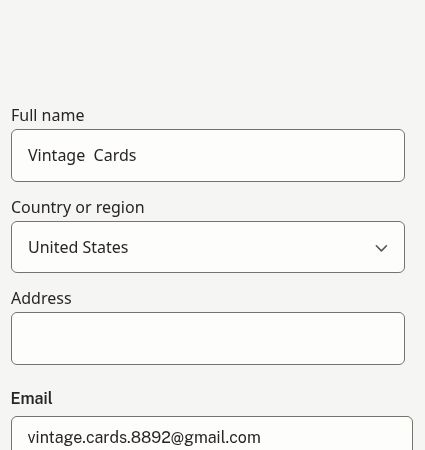
See the Covenant Eyes promo code and illustrated signup guide or start web signup with Covenant Eyes.
30 days free with QUITNOW · Apply the code during web signup.
What I’d check during the trial
- Install it on the devices and browsers you actually use.
- Invite your Ally and confirm they can receive and interpret the activity feed or check-in.
- With your Ally, verify what normal browsing looks like and ask what happens if activity is unavailable on your main device.
- Review the renewal date and decide before billing whether you’re getting enough value from the tool and the conversations it supports.
Bottom line: I’d try Covenant Eyes if you have someone willing to check in with you and your devices support the coverage you expect. If your priority is detailed parental controls or complete iPhone app visibility, check those needs before paying for a subscription.
30 days free with QUITNOW · Apply the code during web signup.
Frequently asked questions
Does Covenant Eyes block porn or just report it?
It can do both. Website filtering is optional and can block adult sites. Screen Accountability samples activity for your Ally to review. Coverage depends on your device and setup.
Does Covenant Eyes see everything on iPhone?
Safari supports screenshots. Other browsers can contribute website activity through the VPN, but their screens and the contents of other apps aren’t covered in the same way.
Does Covenant Eyes monitor Incognito Mode?
It depends on the platform. On Android, some private sessions can make screenshots unavailable. Consult the browser-monitoring guide below for your setup.
Can my accountability partner see every screenshot?
The Activity Feed shows categories of sampled activity. Covenant Eyes reduces image clarity before sharing screenshots. Check a normal day’s feed with your Ally so you both understand what’s visible.
Is Covenant Eyes worth the monthly cost?
It’s easiest to justify if you’ll use both filtering and reporting and have someone prepared to check in. If the setup leaves your primary device poorly covered, use the trial to find that out before renewal.
About Ben Uyama
I create educational videos about porn recovery and accountability software. My hands-on Covenant Eyes review and five-tool comparison focused on what each app could block, what it reported, and how those features could support conversations with a trusted person.
Watch my original Covenant Eyes reviews
These are historical hands-on reviews. The interfaces, prices, and signup instructions shown in the videos reflect the versions available at the time. Use the written review above for current pricing, signup instructions, and platform limitations.
Watch the hands-on review on YouTube
Watch the Covenant Eyes section of my comparison