
By Ben Uyama · November 24, 2026
Affiliate disclosure: I may earn a commission from qualifying signups through my Covenant Eyes or Accountable2You affiliate links or my Covenant Eyes promo code.

Covenant Eyes
Affiliate disclosure: I may earn a commission from qualifying signups through my Covenant Eyes or Accountable2You affiliate links or my Covenant Eyes promo code.
Affiliate disclosure: I may earn a commission from qualifying signups through my Covenant Eyes or Accountable2You affiliate links or my Covenant Eyes promo code.
98/year30 days free with QUITNOW
Optional adult-site filtering and screenshot-based accountability on supported devices.

Accountable2You
Affiliate disclosure: I may earn a commission from qualifying signups through my Covenant Eyes or Accountable2You affiliate links or my Covenant Eyes promo code.
Affiliate disclosure: I may earn a commission from qualifying signups through my Covenant Eyes or Accountable2You affiliate links or my Covenant Eyes promo code.
6/month Family10-day free trial
Device-specific partner reports, configurable alerts, and Chromebook support.
Covenant Eyes vs Accountable2You at a glance
| Feature | Covenant Eyes | Accountable2You |
|---|---|---|
| Monthly web price, USD | $18 | $11 Personal, $16 Family |
| Web trial | 30 days with QUITNOW on eligible plans | 10 days |
| Accountability | Sampled, obscured screenshots on supported devices and activity for your Ally | Activity records, device reports and alerts for the partners you choose |
| Website filtering | Optional adult-site filtering | Reporting only. Use a separate filter if needed. |
| Windows and Mac | Windows 10/11, macOS 11+ | Windows 11 outside S mode and supported Macs currently on macOS 15 or later |
| Mobile | Android 11+, iOS/iPadOS 17+. Safari screenshots and VPN-based website monitoring on Apple mobile devices. | Supported Android 14+ devices, iOS/iPadOS 18+. iOS reports supported browsing and app usage, with limited visibility into app contents. |
| Chromebook and Linux | Outside its listed Victory Shield platforms | Chromebook Chrome activity via extension. Linux requires a supported setup with Snap and X11. |
What your accountability partner sees
Covenant Eyes: Victory Shield samples screens and looks for explicit content. An Ally can review flagged and recap activity in Victory. Images are obscured before sharing. This can add visual context that a site name alone misses. It also means you should discuss what gets collected before using the software on work or shared devices.
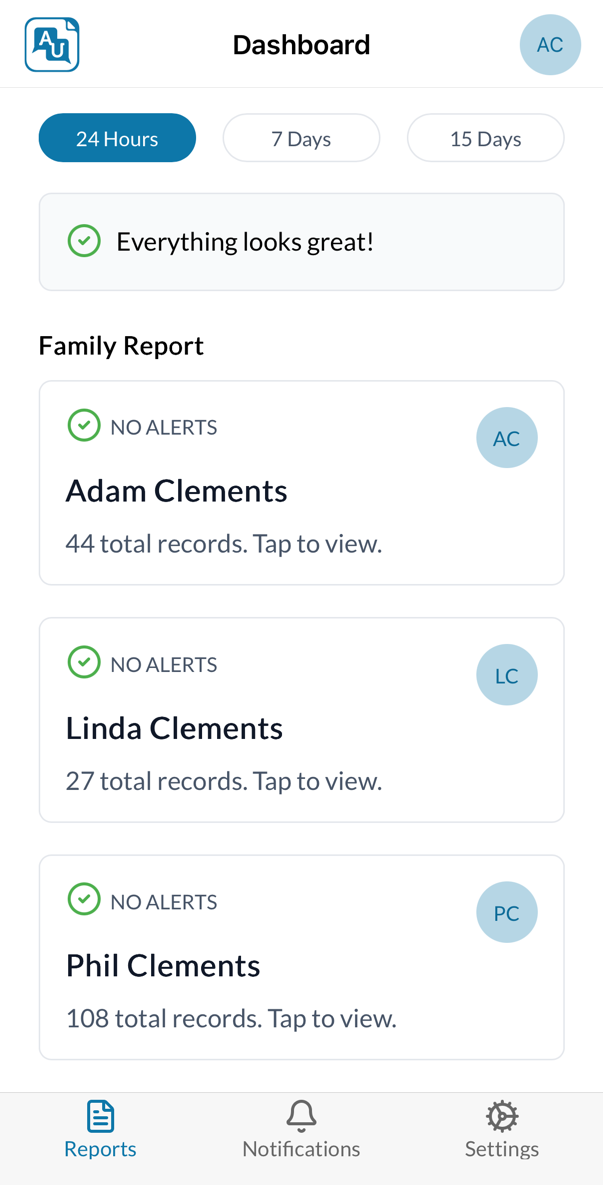
Accountable2You: The Reports app and web dashboard organize activity by device and show alerts. You can assign partners per device. The level of detail varies, and certain Android editions report more call and text information. Agree on which devices and alerts to share before installing.
Pros and cons
Covenant Eyes
- Pros: Reporting and filtering in one subscription, visual context on supported devices, and a verified 30-day checkout offer.
- Cons: Higher monthly price than Accountable2You Personal, limited iPhone screenshot coverage, and no listed Chromebook or Linux client.
Accountable2You
- Pros: Lower starting price, configurable alerts, per-device partners, and wider desktop OS coverage.
- Cons: No built-in filtering, reporting detail varies by platform, and the Personal plan allows up to six active installs. Family allows up to 20.
Which one should you choose?
- I want something that blocks adult sites and gives my partner context: Start with Covenant Eyes. Check your main browser and device and make sure your Ally can see a normal day of activity.
- I already have a filter and want activity reports and prompts to check in: Start with Accountable2You. Agree on which alerts merit a conversation.
- I mainly use an iPhone: Test your actual apps and browsers before paying. Covenant Eyes screenshots are limited to Safari. Accountable2You can identify internet-connected apps, but app names and in-app content are different kinds of information.
- I’m setting this up for a family: Compare the devices and who needs to see each report. Accountable2You Family offers parent and child accounts. Covenant Eyes makes sense if bundled website filtering is important.
Pricing and trials
Covenant Eyes lists $18 monthly, $198 annually, or $950 lifetime on the web. The lifetime purchase skips the trial. Accountable2You lists $11 monthly for Personal and $16 for Family, with annual plans available. Check your renewal price and date at signup.
Try Covenant Eyes for 30 days with QUITNOW. Enter the code during web signup and confirm the trial at checkout.
See Accountable2You signup and its 10-day trial.
Frequently asked questions
Does Accountable2You block websites?
Its main purpose is monitoring and reporting. If you want it to be harder to open adult sites, set up a separate filter or choose Covenant Eyes on a compatible device.
Does Covenant Eyes take screenshots of every iPhone app?
No. The company lists screenshots in Safari, with VPN-based website monitoring on iPhone and iPad.
Can I use Accountable2You on Linux?
Yes, on compatible Snap and X11 configurations. Its support guide flags reliability limitations on Wayland.
Do both products need an accountability partner?
Both provide information you can share with someone you trust. Covenant Eyes also offers optional filtering. Make a plan for who will receive reports and how you’ll follow up.
Watch my original hands-on comparison
The video reflects older app versions and prices. Jump to Covenant Eyes at 5:07 or Accountable2You at 8:20.
Read my full Covenant Eyes review.
Official sources
An iPhone scenario that can change your choice
- You switch between Safari and Chrome
- Accountable2You documents detailed browser reporting in major browsers including Safari and Chrome. Covenant Eyes provides eligible screenshots through its Safari extension.
- You spend most of your time inside apps
- Accountable2You can report the names of internet-connected apps. Covenant Eyes can surface domain signals. Neither of those signals alone tells an ally what happened inside a native app.
- You want to share less visual detail
- Start with text logs and review an ordinary day together. A screenshot monitor may help if you need visual context and have discussed the privacy trade-off.
Sources: Accountable2You iOS coverage · Covenant Eyes device chart. Reviewed November 24, 2026.
Choose by what your ally needs to know
Start with a written activity log if a timeline and alerts give your partner enough context. Choose screenshot-based accountability if the difference between an app name and what appeared on screen matters. Compare all three reporting approaches.

Ben Uyama
I review accountability and blocking tools and help people build practical recovery habits. My original video reviews reflect the versions I used at the time.