
Best Covenant Eyes Alternatives for Accountability and Filtering
Start by deciding what you want to change. Choose Accountable2You for text-based activity reports, Ever Accountable for another partner-reporting option, Canopy for explicit-content filtering, or Bark for parental controls. Keep Covenant Eyes on your shortlist if you want blurred screenshots and website filtering together.
By Ben Uyama. Product details checked November 24, 2026. I may earn a commission on qualifying Covenant Eyes signups through my link or code.
Try Covenant Eyes free for 30 days
Available on eligible new web signups. Enter the code at checkout.
QUITNOW
Covenant Eyes
Adult accountability
- Pricing
- $18/month or $198/year. $950 lifetime.
- Compatibility
- Windows, macOS, Android and iOS. Coverage varies by device.
- Advantage
- ✓ Blurred screenshot reports and website filtering
- Limit
- No parental screen-time schedules or location tracking.

Accountable2You
Activity logs and alerts
- Pricing
- See the current Personal and Family plans in the comparison.
- Compatibility
- Check supported platforms and install limits for your plan.
- Advantage
- ✓ Text-based activity reporting and alerts
- Limit
- Choose a separate filter if blocking is essential.

Ever Accountable
Partner reporting
- Pricing
- See the current individual plan in the comparison.
- Compatibility
- Check device-specific reporting before subscribing.
- Advantage
- ✓ Partner reporting with screenshot options on supported devices
- Limit
- Report detail varies by platform.

Canopy
Explicit-content filtering
- Pricing
- From $8.33/month equivalent, billed annually. Seven-day trial.
- Compatibility
- Windows, macOS, Android, iOS and ChromeOS. Check minimum versions and ARM support.
- Advantage
- ✓ Filters explicit imagery and offers partner features
- Limit
- The entry plan covers one device. Check how reporting works on your setup.

Bark
Parental controls
- Pricing
- Jr $5/month. Premium $14/month. Annual plans available.
- Compatibility
- App and account coverage varies by device. Check supported services before subscribing.
- Advantage
- ✓ Screen-time schedules, location tools and Premium alerts
- Limit
- Premium is required for message and social monitoring. Hardware is separate.
Compare the closest matches first
- Covenant Eyes vs Accountable2You explains screenshot reports versus activity logs and alerts.
- Covenant Eyes vs Ever Accountable compares what partners receive and where coverage differs.
- Covenant Eyes vs Canopy compares partner accountability with filtering-first protection.
- Covenant Eyes vs Bark compares adult accountability with parental controls.
Three questions to ask before paying
- What should the app do? Describe one concrete outcome, like filtering explicit images or showing a partner which device was used.
- What will be shared? Ask who sees screenshots, URLs, or alerts and what you can exclude. Agree on boundaries before installing.
- Does it work on your actual devices? Check your exact phone, browser, and operating system. Use a trial to test the workflow with your partner and confirm renewal terms.
Is there a free Covenant Eyes alternative?
Start with the screen-time or web-content restrictions already built into your device if you only need basic filtering. Check what those controls can block on your setup. If you need a report delivered to a trusted partner, compare paid accountability tools on that feature first.
When is Covenant Eyes still the better choice?
If someone you trust will actually review the reports with you and you also need website filtering, Covenant Eyes covers both in one subscription. My original hands-on review found that screenshots offered context a domain list alone could miss. Read the full hands-on review for device limitations and reporting details.
See the interface

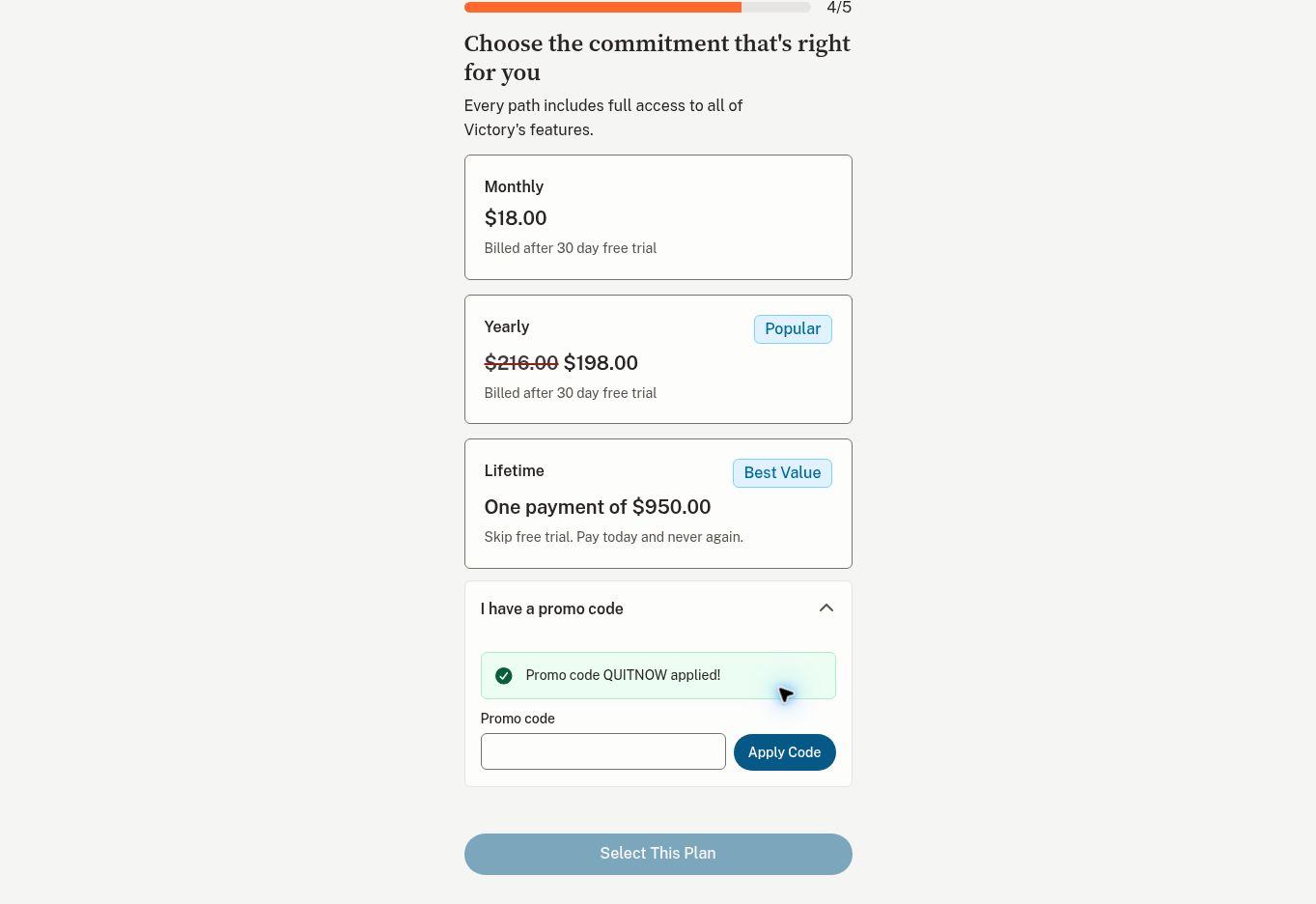
What QUITNOW looks like at checkout
Related buying guides
Product sources
Ready to try Covenant Eyes?
If a trusted partner is ready to check in, use the trial to test reports and filtering on your own devices.
QUITNOWRelated buying guides
Match the replacement to the missing feature
- Readable browser logs
- Consider Accountable2You if you want written activity records. Compare Safari and Chrome coverage on iPhone.
- Multiple native-app workflows
- Evaluate Ever Accountable’s current iOS setup with your main apps before expecting more detail.
- Child-specific rules
- Compare Bark for supported parental controls and Canopy for filtering. Start with your device list and the control you actually need.
Sources: Accountable2You coverage · Bark plans · Canopy plans. Reviewed November 24, 2026.
Choose an alternative based on the gap you need to fill
If you prefer written accountability reports, compare Accountable2You. If you need an iPhone-first decision, compare what each iPhone app reports. If the job is child safety, compare Bark’s parental-control approach.

Ben Uyama
I review accountability and blocking tools and help people build practical recovery habits. My original video reviews reflect the versions I used at the time.