
Covenant Eyes vs Canopy: Accountability or Filtering?
Choose Covenant Eyes when the person using the device wants a trusted partner to see meaningful activity and check in. Choose Canopy when the priority is filtering explicit content as it appears, especially on a child’s device.
By Ben Uyama. Product details checked November 24, 2026. I may earn a commission on qualifying Covenant Eyes signups through my link or code.
Try Covenant Eyes free for 30 days
Available on eligible new web signups. Enter the code at checkout.
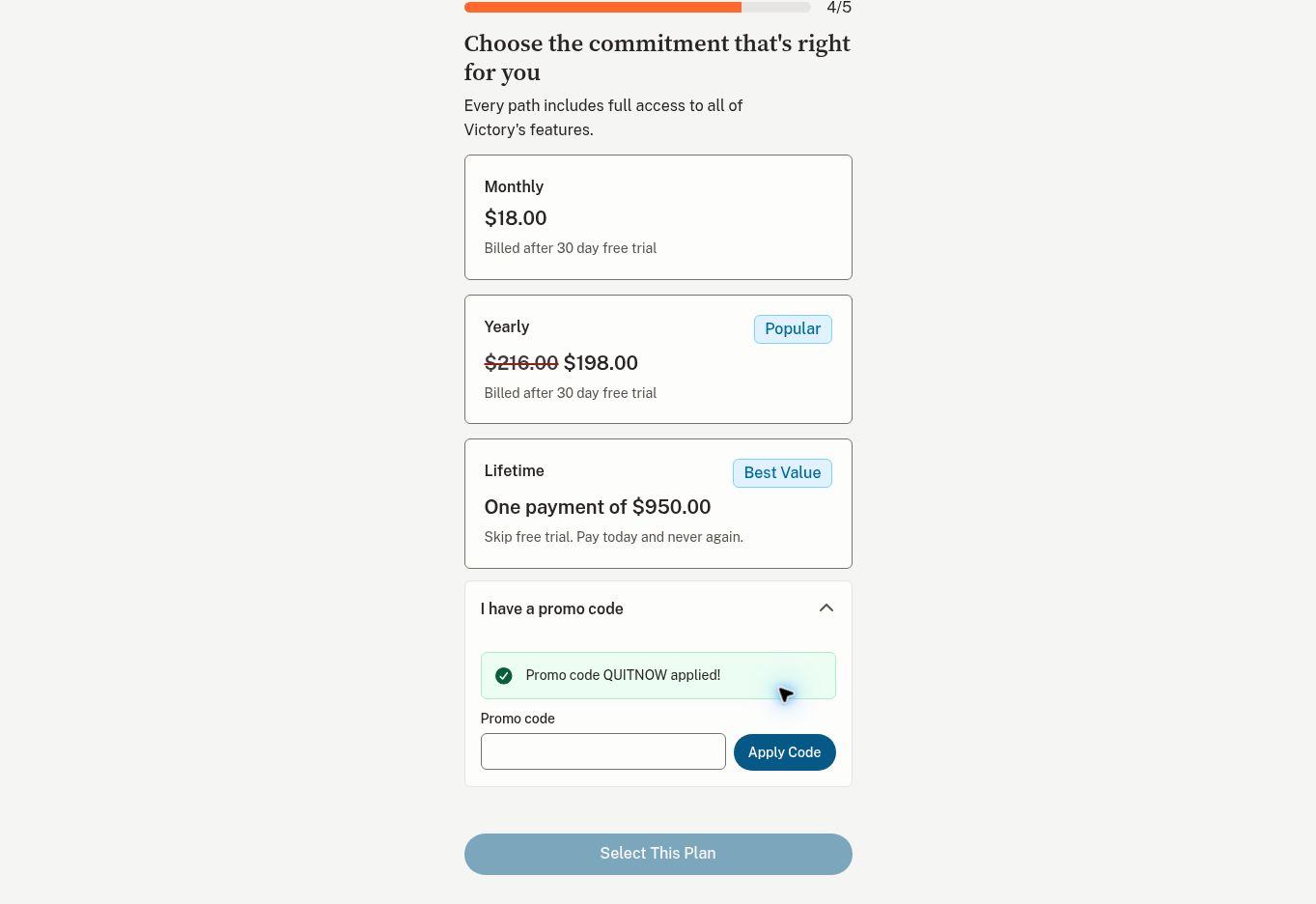
QUITNOW
Covenant Eyes
Adult accountability
- Pricing
- $18/month or $198/year. $950 lifetime.
- Compatibility
- Windows, macOS, Android and iOS. Coverage varies by device.
- Advantage
- ✓ Blurred screenshot reports and website filtering
- Limit
- No parental screen-time schedules or location tracking.

Canopy
Explicit-content filtering
- Pricing
- From $8.33/month equivalent, billed annually. Seven-day trial.
- Compatibility
- Windows, macOS, Android, iOS and ChromeOS. Check minimum versions and ARM support.
- Advantage
- ✓ Filters explicit imagery and offers partner features
- Limit
- The entry plan covers one device. Check how reporting works on your setup.
What happens when something gets through?
With Covenant Eyes, the next step is a conversation. A trusted Ally can review activity, ask what happened, and help agree on a change. With Canopy, the first line of defense is filtering. Its filtering aims to remove explicit material without blocking an entire page. Decide whether you primarily want a different browsing environment or a way to share activity with someone you trust.
Check every device before you subscribe
Canopy lists Windows, macOS, Android, iOS, and ChromeOS, with minimum versions and a Windows ARM exclusion. Covenant Eyes screenshot coverage varies by platform. On iPhone, Safari screenshots and broader domain activity are different kinds of coverage. Check the exact browser and apps you use before you depend on either product.
Which should you try first?
- Adults who want accountability: Try Covenant Eyes if you already have an Ally willing to check in.
- Parents focused on explicit-content filtering: Start with Canopy and test it on the child’s actual device.
- Mixed households: Evaluate each person’s needs separately. A family device limit and an accountability username limit measure different things.
Can Canopy replace an accountability partner?
Canopy offers partner features, but the software itself cannot have the conversation. If the report an Ally receives is your deciding factor, review a sample and agree what you are comfortable sharing before enabling monitoring.
See the interface

What QUITNOW looks like at checkout
Related buying guides
Product sources
Ready to try Covenant Eyes?
If a trusted partner is ready to check in, use the trial to test reports and filtering on your own devices.
QUITNOWDecide whether you need blocking, a report, or both
- Blocking is the priority
- Check Canopy’s per-plan device limits and the version of filtering it offers on the operating systems you use. Include a browser and your most-used app in the trial.
- An adult ally needs context
- Check whether Covenant Eyes gives your ally enough detail to start a useful conversation. On iPhone, distinguish Safari screenshots from domain signals.
- Both matter equally
- Ask your ally to review an ordinary day and check what you can change if the filter is too strict. Compare cost using your actual device count.
Sources: Canopy plans · Covenant Eyes device chart. Reviewed November 24, 2026.
Check detection and reporting separately
A filter’s job is to interrupt access. An ally report gives someone a reason to ask how you’re doing. Test both on the apps and browsers you use. See Covenant Eyes iPhone limits and Canopy’s current device limits and prices.

Ben Uyama
I review accountability and blocking tools and help people build practical recovery habits. My original video reviews reflect the versions I used at the time.