
One subscription covers up to 10 usernames and unlimited supported devices. I’d choose Covenant Eyes if adults want a trusted ally and website filtering. For kids’ screen-time schedules, location, or message alerts, look at Bark.
Affiliate disclosure: I may earn a commission if you sign up through an affiliate link.
Try Covenant Eyes free for 30 days
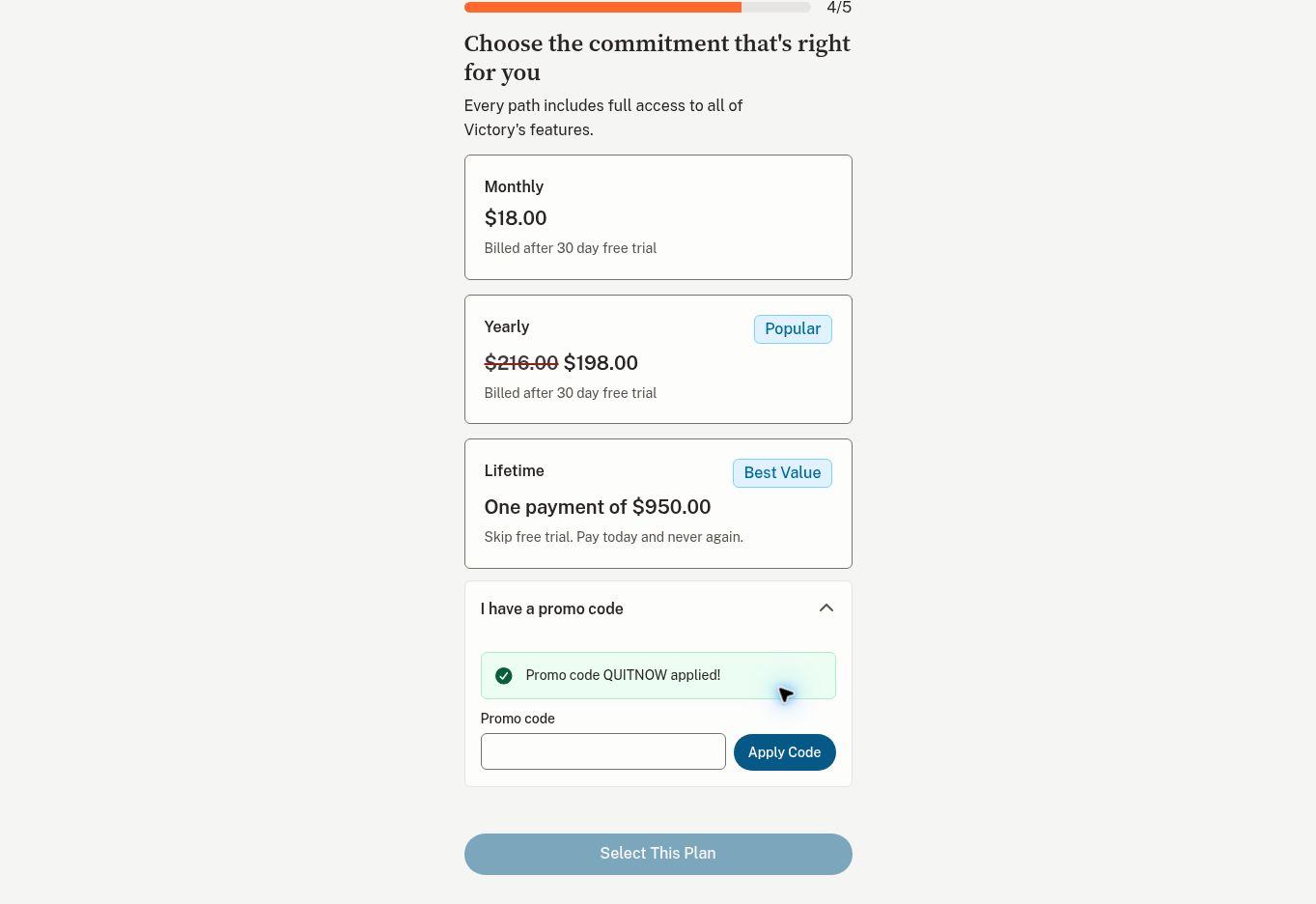
Apply QUITNOW at checkout for 30 days free.
QUITNOWStart Your 30-Day Free TrialSee checkout instructions and offer detailsHousehold pricing and what’s included
US website prices. In-app plans cost $19.99 monthly or $219.99 yearly.
Official subscription pricing and household limits
How family accountability works
Give each monitored household member their own username and agree who will act as their ally. Reports are useful when they lead to a conversation. Set expectations about what gets shared, who can see it, and how you’ll respond to a flagged event.
For adults, agree on consent and privacy before installation. On shared computers, use separate operating-system profiles where practical and check that the correct member is signed into Victory Shield. Avoid using a report as proof of who was at the screen when accounts are shared.
Supported devices and monitoring differences
📱 iPhone and iPad
iOS or iPadOS 17+. Safari screenshots require the Safari extension. Device-wide domain monitoring and website filtering provide additional coverage. Covenant Eyes cannot take screenshots inside other iPhone apps.
📱 Android
Android 11+. Offers screen accountability, web filtering, and App Locking. Some private sessions can prevent screenshots, so check your actual devices during setup.
💻 Windows and Mac
Windows 10/11 or macOS 11+. Both support screen accountability and filtering. Install the app on each computer you want covered.
🖥️ Chromebooks and shared hardware
Chromebooks, consoles, and smart TVs are outside Covenant Eyes’ listed device support. Check school-managed device restrictions before buying and plan separately for devices you cannot install on.
Official compatibility chart · What iPhone monitoring actually captures
Filtering vs. parental controls
Adult accountability gives a trusted person enough information to check in. Pornography filtering blocks supported sites or explicit content. Parental controls manage a child’s time, apps, or alerts. Choose for the job you need done.

Covenant Eyes
Filtering vs. parental controls
8/mo or Filtering vs. parental controls
98/yr · My first pick for accountability with web filtering.
Ask your ally to check the feed during the trial. On iPhone, screenshots are Safari-only.
Try 30 days free with QUITNOW
Canopy
From $8.33/mo, billed annually · Best fit for filtering explicit web images.
Check the device limit and coverage for the apps you use.
Visit Canopy
Bark
Filtering vs. parental controls
4/mo or $99/yr for Premium · Best fit for parental schedules and supported message alerts.
Monitoring and setup vary by device, especially on iPhone.
Visit BarkFirst-week setup checklist
- List the devices and confirm their operating systems and installation permissions.
- Create separate usernames and decide who receives accountability activity.
- Install Victory Shield and enable the appropriate filtering level on each member’s account.
- Check device status and the activity feed together. Test a harmless site you have explicitly blocked.
- Set up platform-level app and screen-time limits separately if your household needs them.
Common questions
Does every family member need a separate subscription?
No. Covenant Eyes lists up to 10 member usernames on a single account, with no cap on compatible installs.
Can a parent read a child’s texts with Covenant Eyes?
Covenant Eyes supports accountability and web filtering. On iPhone and iPad it cannot screenshot activity inside messaging apps. If message alerts are essential, compare a dedicated parental-control product and verify its platform coverage.
Does it protect every device on my Wi-Fi?
Install Victory Shield on each supported device that needs protection. Household Wi-Fi coverage requires a separate solution.
What happens after the 30 days?
Check the plan, renewal price, date, and cancellation terms shown at signup. The promo code covers the trial period.
Start your household trial
Apply QUITNOW at checkout for 30 days free.
QUITNOWStart Your 30-Day Free TrialSee checkout instructions and offer detailsRead the full Covenant Eyes review · Compare five accountability and blocking apps
Related reviews and comparisons
Plan a two-adult, two-child household before installing
- Count people
- One Covenant Eyes subscription covers up to 10 usernames and unlimited supported devices. Give each monitored person their own username when you need separate activity records.
- Assign roles
- Have adults agree who can see their activity. Decide separately which guardian manages a child’s device restrictions.
- Run a device-by-device check
- On iPhone, test Safari and a native app separately. Use device controls for app installation, removal and time limits where those controls are needed.
Sources: Covenant Eyes plan terms · Covenant Eyes device chart. Reviewed November 24, 2026.
Set up people first, then devices
List who will be monitored, who needs a separate username, and which devices each person uses. Choose who gets reports before installing. Compare household billing options and what your ally can see on an iPhone.

Ben Uyama
I review accountability and blocking tools and help people build practical recovery habits. My original video reviews reflect the versions I used at the time.